Showing posts with label microsoft. Show all posts

Thursday, June 3, 2010

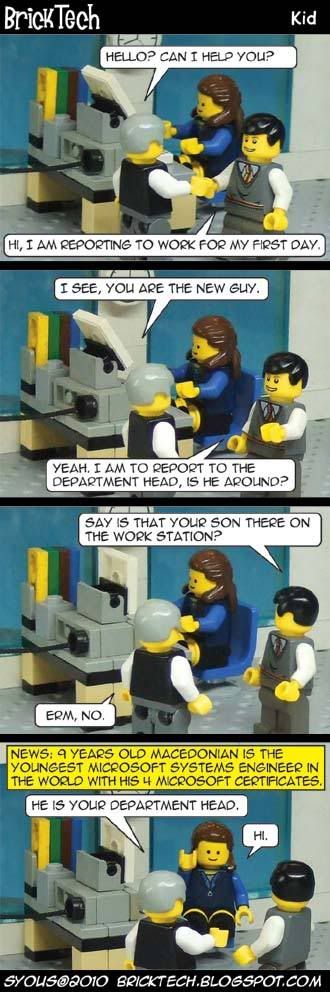
Microsoft Systems Engineer, 9 Years Old

9 years old Marco Calasan from Macedonia is fluent in three languages and have four Microsoft certificates, he's also written a 312-page book on Windows 7. Read more here.
More Data?

Tuesday, May 18, 2010

Windows Live - Hotmail 2010

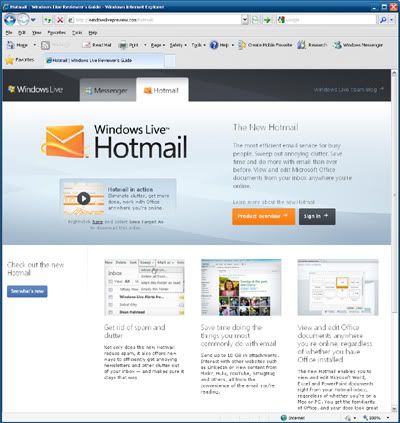
If you use Hotmail, which has been under Microsoft's Windows Live online services for quite some time now, you might be interested to know Hotmail will be updated to the new version soon:


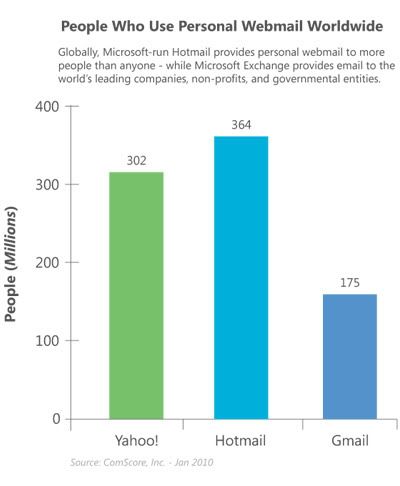
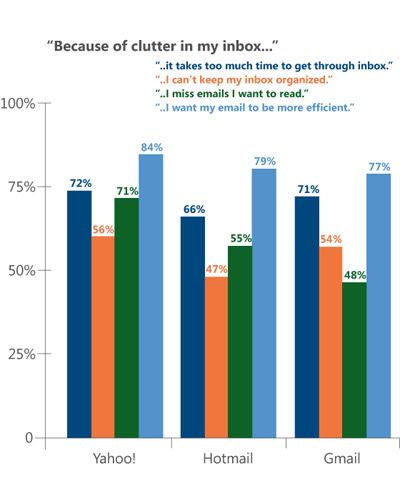
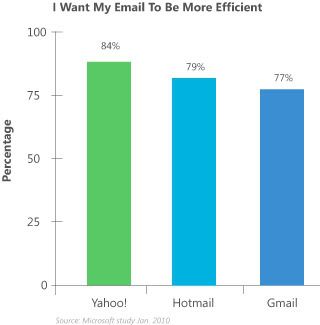
There's some interesting data from this Hotmail Preview site which reflects what Microsoft is trying to do to compete against rival Google's G-Mail and Yahoo's Mail, as well as some extras:


Take a look for yourself. Go on and browse over to Windows Live Preview - Hotmail.

More Data?

Tuesday, November 3, 2009

Otaku-Friendly Windows 7

Official Microsoft Windows 7 Nanami Madobe OS-Tan wallpaper (background). If you want just this bg only (wide UXGA 2134 x 1200), you can get it here.

By now you would have heard of Windows 7, Microsoft's latest operating system, the 7th Windows release actually, which justifies them calling it Win7, when it's actually Windows 6.1. See our post here about it.

But did you know this is the first Windows to have an official OS-Tan by Microsoft and not by fans? Only in Japan for the first 7777 copies of Windows 7 Ultimate though. However, you can now get the Windows 7 OS-Tan Theme here on BrickTech to use on your non-Japan 7777 Windows 7. It might even work on Windows 6.0 (Vista) - give it a try!

Actually, it can work on ANY Windows if you just use the bundled wallpapers (or called background in Windows 7) and manually assign the OS-Tan voices to Windows events. But what is an OS-Tan?

OS-Tan is basically a personified OS, made popular by Japan, specifically for Windows, but it has now branched over into Apple's Macintosh OS, as well as Linux OS. They're usually all girls, to meet the fantasy of Otakus (Japanese geeks) of having an OS manifested as a human female.

In Resident Evil, the White Queen supercomputer is a young girl

In some ways they're the predecessor of science-fiction AI computers which can manifest themselves as a human, like the White Queen Computer from the Resident Evil series.

Apparently this is how Windows 7 looks like, and she's called Nanami Madobe, plus she looks VERY young.

To cater to this demand, Microsoft created an official Windows 7 character, Nanami Madobe, voiced by anime (Japanese animation) actress Nana Mizuki.

Nana Mizuki, the voice behind Windows 7

So, does that mean Windows 8 (or 9?) will have the ability to manifest itself as a holographic female personality? Well, we will have to wait and see! We can already expect the jokes of how a Windows AI will probably have mood swings to reflect if it has buggy codes within! ;p

More Data?

Sunday, October 4, 2009

.NET Games for Windows - LIVE version 3


This is a cross-post between BrickTech and BrickGamers to help gamers out who may be having problems with modern games which rely on Games for Windows - LIVE online service from Microsoft.

This online software service is integrated into games like Halo 2, Gears of War, Grand Theft Auto IV, Fallout 3, Warhammer 40,000 - Dawn of War II, Street Fighter IV, Batman - Arkham Asylum, Resident Evil 5, and so on. You can see the full list of Games for Windows - LIVE here. But did you know this is different from Games for Windows?


Games for Windows is a different set of games, which you can see the list here, but is categorised alphabetically. To see it as a whole page, go here.

To see an even bigger list, including upcoming games, and BOTH Games for Windows AND Games for Windows - LIVE games, check out this full list here.

So there's 2 types of Windows games? Sorta. You see, Microsoft, in order to "Get into the Game" so to speak, has ventured on a branding exercise to promote games which are designed for Windows with the "Games for Windows" moniker. The Games for Windows - LIVE is an enhancement which requires an online service component called Games for Windows - LIVE to be installed - even if you don't play that game online.


What this LIVE component does is enable linkage with you and other gamers who have the same such game installed - be it on the PC or Microsoft Xbox or Xbox 360 gaming console. Of course, if that said game doesn't support multi-player, then you can't play with others, but you can still link with them to see their scores, chat, etc.


The whole idea is to integrate Windows gamers with Xbox gamers, since in many places in the world, like Malaysia, Microsoft doesn't launch the Xbox here. This is due to rampant piracy and slow broadband, making Xbox LIVE online gaming service being not condusive for Microsoft. Their ultimate aim is to link up all users of Microsoft products to LIVE Anywhere. And please, no jokes about how if you reverse the word LIVE above it becomes EVIL :)


This Games for Windows - LIVE also ties up with their Windows LIVE online services, which the most popular being Windows LIVE Messenger, followed by Windows LIVE Mail. So what's this got to do with gamers?


Some Windows XP gamers are unaware the latest Games for Windows - LIVE, version 3 (30MB), requires Microsoft's .NET Framework software to be installed, with the latest being version 3.5 Service Pack 1 (200MB). Games for Windows - LIVE, version 2 (20MB), does not require .NET to be present. You can see what's new with version 3 here.

If you're having problems installing the MSI (Microsoft Installer) installation file of Games for Windows - LIVE version 2, your MSI might be outdated. You can get the latest version 4.5 here.

Going back to XP Games, so if you're having problems playing some of the new games on XP which need Games for Windows - LIVE, you can either install Games for Windows - LIVE version 2, or go for version 3 but you'll need .NET as well. Some of you may already have .NET for games like Sims 3 which need it. Of course, if you have Windows Vista or Windows 7, it comes with .NET already.

More Data?

Saturday, September 26, 2009

AMD ATI Radeon HD5000 Series Windows 7 Direct X 11 graphic cards


If you don't already know by now, the next standard in gaming graphics is DirectX 11. This is found in Microsoft's upcoming Windows operating system, Windows 6.1, or more popularly known as Windows 7 (not because 6+1=7 or because Windows Vista was Windows 6.0, but because Microsoft says this is the seventh release of Windows).

DX11 adds some new features and one of them is Direct Compute, using the new Compute Shader element, which adds to the previous Geometry Shader which was introduced in DirectX 10 (Unified Shader Model 4) on Vista, and the Pixel and Vertex Shaders, which were introduced in DirectX 9 (Shader Model 3) prior to that in Windows XP.

Direct Compute is an implementation of GPGPU technology. Basically it uses your graphic card for processing instead of just your processor, thereby giving you extra performance. This can also be used for 3D Ray-Tracing and Video Transcoding. But did you know DX11 can work with DX10?


Unlike DX10 which required either AMD's ATI Radeon HD2000/3000/4000 series, or NVIDIA GeForce 8/9/200 series of DX10 gaming cards, DX11 can function on DX10 gaming cards as well, albeit not as fully as on DX11 gaming cards, which is the ATI Radeon HD5000 series, or NVIDIA GeForce 300 series (which isn't out yet).

As expected, this means DX11 can also work on Vista, and it can, when Microsoft releases the Vista Platform Update, but like the above DX11 and DX10 compatibility, you won't get the full features as compared to a pure DX11 platform, which is Windows 7 with DX11 gaming card, and in this case, only ATI's HD5000 is out. With this, coupled with Windows 7, you'll get the full DX11 deal. See here for a list of upcoming DX11 games.

Of course, with DX11 you can also play DX10 games, and you can see a list of DX10 games here - but remember to update your DX files! If you haven't done so, you can get it for free from Microsoft's site here (100MB). Even if you're using Windows XP with DirectX 9, it will update your files to the latest DX9. This might help if you're having problems running some games.

More Data?

Friday, September 25, 2009

Windows Live Messenger 9 (2009) 14

Microsoft Windows Live Messenger 9 (2009) 14.0.8089.726

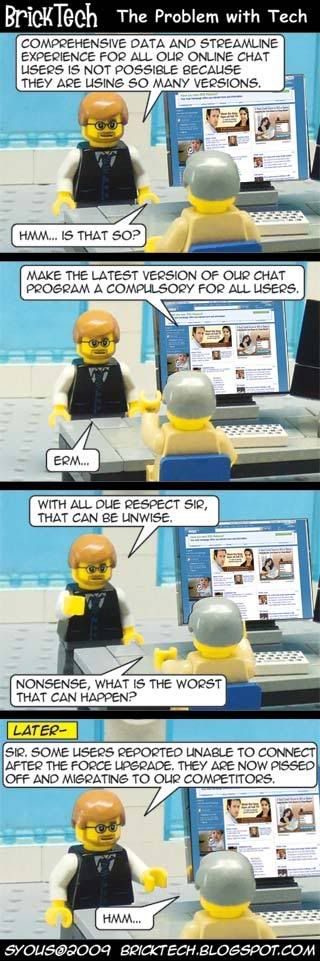
Unless you're using Microsoft's Windows Live Messenger 8.5 (2008), you would have recently been prompted to upgrade to the latest version of WLM 9 (2009), or also known as version 14 to tie with the rest of Microsoft's Windows Live Services. This is because Microsoft wants to streamline all their Messengers to the latest version, which means any version prior to 8.5 (like 8.1, 8.0) will have to upgrade to version 9 (2009 or 14) before you can log into your Messenger.

However, come next month, even users of 8.5 will be forced to do the same so everyone will have to use at least version 14.0.8089.726. Meaning even if you're running version 14.x you'll still have to upgrade to this version (at least) in October. Want to know more?

This recent force (and next month for the rest of 8.5 and 14.x users) have resulted in some users switching over to Yahoo Messenger (which coincidentally, also only supports version 9.0, with 8.0 users being locked out). As both WLM and YM support both Yahoo and Microsoft accounts, both can use either contacts so you don't need to run both Instant Messengers (IM) at the same time.

However, with Microsoft's recent force (and next month as well), you might see a case of people jumping over to Yahoo instead, as some people have had problems once upgrading WLM. You can read more Microsoft's statement (as well as some people's problems) here.

You can get the latest version of WLM here, which will download the required WLM files, as well as other Windows Live Services, IF you want them. Keep in mind you don't have to install ALL Windows Live Services to use WLM.

To read more about WLM, you can read about our previous post here.

More Data?

Friday, September 11, 2009

Crash, Boom, Bang?

Microsoft Bing

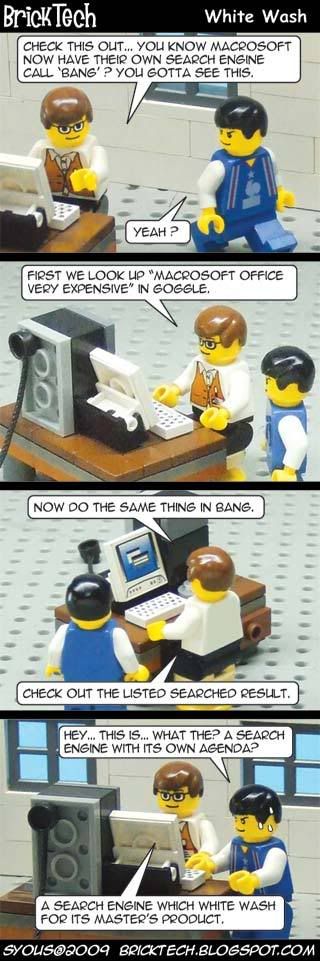
If you haven't heard by now, Microsoft has re-named its Web search engine from Live Search to Bing, in an attempt to make it more "user-friendly". However, this "new" search engine got into a little trouble recently when it was found to be selective of the type of results to show depending on the search being queried. Want to know more?

In particular, it was sensitive towards searches that would highlight the "bad" side of Microsoft. This came to be known via here, and a screen capture here proved the point, especially since it has now been changed to reflect no "censorship", as seen from here. Just to be fair, Google was put to the test as well, as seen here. Well, it's good to see Microsoft redeem itself than to deny!

More Data?

Wednesday, August 26, 2009

PC and Windows 7 Cookies
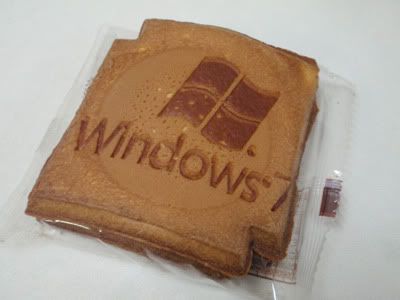
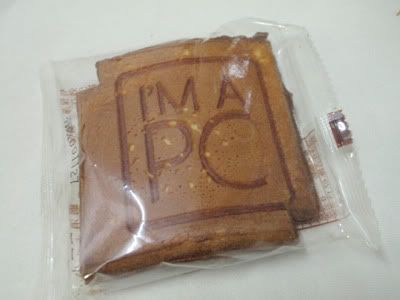
At BrickTech, we're about LEGO® and tech, but sometimes we're willing to make an exception when something fun crops up, since LEGO is all about fun too! We're talking about Windows 7 and Microsoft's "I'm A PC" cookies - and this isn't about the term cookies used in Web Browsers!
Windows 7 cookie

These are Fried Cookies, so they taste like Fortune Cookies or a thicker version of Love Letters. Interested to find out who made them?

PC cookie

They were specially made by Taiwan's Kobayashi Cookie Factory at XLCookie.com (Chinese only) . If you can find these cookies on their online shop, go ahead and order them to 'taste' Windows 7!

You can see another picture of this Windows 7 cookie on Bianca Wong Pi Chin's Flickr here.
More Data?

Friday, July 31, 2009

NVIDIA CUDA

NVIDIA CUDA GPGPU technology logo

What is NVIDIA CUDA? If you've read our previous post here, you'll get a brief understanding of CUDA, which is basically NVIDIA's implementation of GPGPU technology by supporting programs (and games) designed to take advantage of CUDA. GPGPU is explained below.

CUDA is found on GeForce 8 series of 3D gaming and multimedia graphics card and above - as well as Quadro FX professional workstation video cards. This is possible because since GeForce 8, as well as the new Quadro, the design of the graphics processor (the GPU) on the card has changed. In fact, it's more like a CPU (the processor on the mainboard) now. Hence what you have is a GPU that functions like a CPU, and is known as GPGPU. But how did this come about and why? Read on.

In the past, GPUs work in seperate processing methods - one part of the GPU will do the processing of the 3D structure, while the other part will then process the image on the structure - think of it like how when you construct a building you first have to build the framework before you can install the windows and floors.

That worked fine for awhile, until 3D games began to get more demanding and this was a poor allocation of GPU resources - what happens if you had more structures to show but less textures and surfaces? Or the other way around? Hence the birth of the new GPU known as Unified Shader Architecture, which combines the mini processes inside the GPU into a single block which can process anything given to it dynamically. So what you have now is one large processor.

So since you have a CPU in a GPU, now you can also use it for processing programs asides from just processing 3D graphics in games (or processing 3D scenes for Quadro cards). In comes CUDA which allows this since the GPU is still not a full CPU so you need an interface medium.

What can CUDA do? Basically anything that a CPU can do - except programs have to be made to take advantage of CUDA for this to happen, so that will take time. Some of the early programs include video conversion tools.

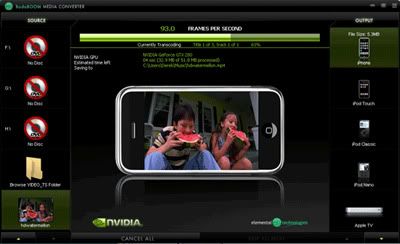
BadaBoom CUDA media converter
BadaBoom Media Converter using NVIDIA CUDA GPGPU technology

This converting (transcoding) process takes up time and if you were to run it on your CPU, not only will you won't be able to do other tasks on your computer because your CPU is busy with the process, it will also be slower since CUDA is a newer technology which can be done from scratch to be optimised faster. One such CUDA transcoder is BadaBoom.

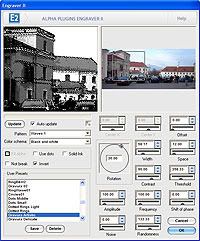
Photoshop plugin
An image filter plugin in Adobe Photoshop

Then there's also the ability to use CUDA for image processing, like running plugin filters in Adobe's Photoshop. Again, this takes time on the CPU so for large images, it will be faster on CUDA. You can also use CUDA for games. That's where Microsoft's Windows DirectX 11's Compute Shader comes in, found in Windows 7. But we'll leave that for another post.

More Data?

Thursday, July 30, 2009

Bill Gates @ Facebook

Bill Gates Microsoft Facebook Friends

Sorry Bill Gates, we just had to highlight your plight when you recently decided to try out the social networking phenomenon Facebook in the Web 2.0 age. On the bright side, at least you won't have BrickTech being the 10,001 friend who wants to add to your list :)

To know more about the story that inspired this strip, read on for more details.

Yahoo recently carried a story about Bill Gates, who tried Facebook, but then gave it up after 10,000 people wanted to be his friend. You can read more about it here.

If you're wondering why Bill has dual large monitors on his table, we're referring to the news on C-Net which mentions he has triple LCDs in his office. Find out more here.

Yes, we know how to count.

However, we don't have enough bricks :P

More Data?

Tuesday, July 14, 2009

x86 (32-bit) and 4GB of Memory


This might be something you already know - or don't. x86 (32-bit) computer systems can only recognise up to 4GB of total memory - regardless of what type of memory. This includes the DDR1, 2, or 3 memory modules slotted on your board inside the computer casing, as well as the memory (usually GDDR3, 4, or 5) that comes with your graphic card (which contains the GPU or Graphics Processing Unit) - if you have one installed.

Some boards come with integrated GPU so the memory is shared from the main installed modules. For these, there is no need to take the graphic card memory into consideration. But what if you have a graphic card?

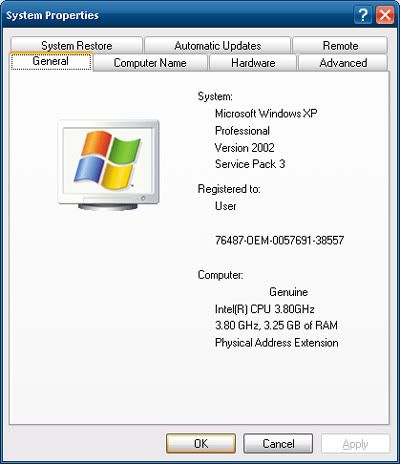
If you have a graphic card, and say it comes with 512MB of memory, plus you have 4GB of memory sticks installed on your board, you will only be able to use about 3.5GB of memory because the other 512MB has to be allocated for the processor to access on the graphic card. This is a limitation of x86 design.

To circumvent this problem you have to move to x64 (64-bit), which means you have to install an x64 operating system (OS), like Windows XP 64 (rare), Windows Vista 64, or the upcoming Windows 7 64 - currently available as a freely-downloadable RC (Release Candidate) version from Microsoft's site here.
Keep in mind to use an x64 OS, your processor needs to be able to support x64 as well - check Intel or AMD's site (depending on which brand of processor you have) to see, or see here to see what processors support x86 and x64 OSes.

There is one caveat to using an x64 OS however - only x86 software can run on it (this backwards compatibility is included), and this means there can be no legacy 16-bit code in the x86 software, which can sometimes happen to older hardware which have outdated software.

x64 also means you can go beyond 4GB of board memory - so feel free to install more up to how much your board supports and if you can afford it. Having more memory means you can have more things open on your desktop without having to close something to free up memory for something else to open.

Keep in mind memory on the board and memory in the form of hard drive storage is 2 very different things. The board memory dictates how much you can open on your desktop at any one time while your drive storage dictates how much you can keep on your computer. There is a dual-stage of storage and usage going on between drive and memory so they're not the same.

More Data?

Tuesday, July 7, 2009

Sun Virtual Box 3 for 3D

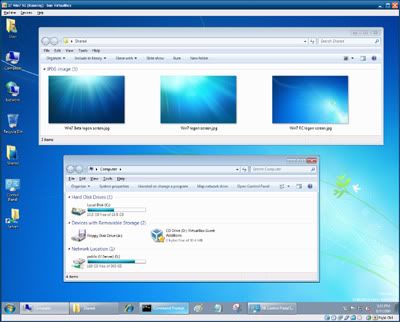
Sun Virtual Box 3 Windows 7 RC
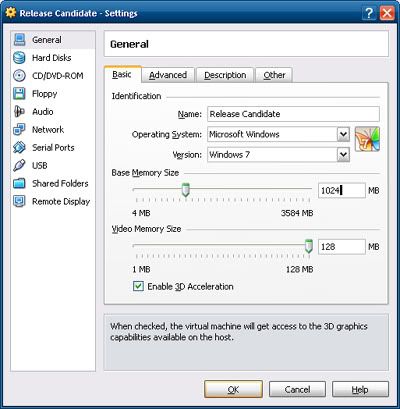
That's Windows 7 RC running in Sun's Virtual Box 3 window (on a Windows XP desktop)

If you've read this post before (scroll down to the bottom of it), you'll know about Sun's Virtual Box (VB), a virtualisation software like Microsoft's Virtual PC 6 (VPC6), which is designed for Windows XP and Windows Vista.

Virtual PC 7 (VPC7) is designed for Windows 7, but unlike VPC6, VPC7 is designed to work transparently on Win7 as a compatibility feature for Windows XP software, hence it's known as "XP Mode". If VM (Virtual Machine) software sounds familiar, you might have heard of VMware before. But what's the difference?

VB differs from the popular VMware by being free, and it differs from MS VPC6 by emulating better computer hardware (since it's newer), and like VPC7, it offers a "Seamless Mode", where you can hide the virtual desktop running in VB and use the virtual windows with your actual operating system (OS). VMware calls this the "Unity Mode".

Anyway, since VPC7 only works on Win7 and only runs XP, this makes VB an attractive option if you're running XP, Vista, Mac or Linux, and if you want to run virtual Vista, Linux, etc.

Additionally, VP7 requires your processor to support hardware virtualisation (known as VT in Intel and V in AMD). If you have an Intel Core i-class or an AMD Athlon-class or AMD Phenom-class processor, it's ready. If it's an Intel Core 2-class or Intel Pentium 4-class processor, it may or may not. Check the Intel Archive Site here to see the list.

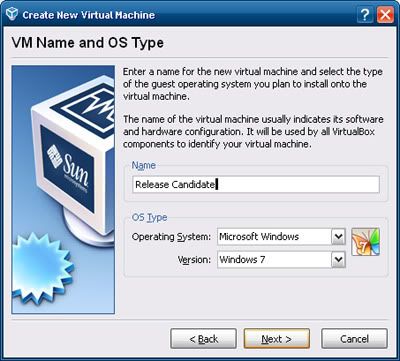
Moving on, in our previous VB post, we talked about using VB2 to sample Win7 RC (Release Candidate) instead of installing 7RC on your computer. However, VB2 suffers from one major flaw - while it emulates newer hardware than VPC6 which uses older hardware, it doesn't support 3D, in the form of Microsoft's Direct 3D - the most important component in DirectX for Windows, and OpenGL (Graphics Library), used in Mac and Linux.

VB3 solves that by including 3D support - albeit it's experimental. With VB3, you can now take full advantage of the newer emulated hardware - just like how VB2 did, except now you have 3D.

In our following post, we'll show you how to use these free VM software. In the meantime, feel free to play around with them. Remember, they're virtual. So whatever happens in them happens in the virtual OS - NOT the OS which these VM software runs on. So relax. You're safe.

This also means you don't have to bother with anti-virus or almost any forms of security. Hence why most anti-virus won't even work in a virtual OS. Which means using a virtual OS is a very secure way to experiment with any dangerous software which might otherwise wreak havoc on your actual OS. Using virtualisation is a good way to visit unknown sites which might otherwise harm your computer with your actual OS. However keep in mind you can share files between the virtual OS and your actual OS so make sure your actual OS has an updated anti-virus! We'll show you how to share files between the virtual (guest) OS and your actual (host) OS next time.

Free Virtualisation Software Download Links:
* Virtual PC 7 requires 2 install steps - the VPC7, followed by a virtual XP image (included)

More Data?

Friday, June 26, 2009

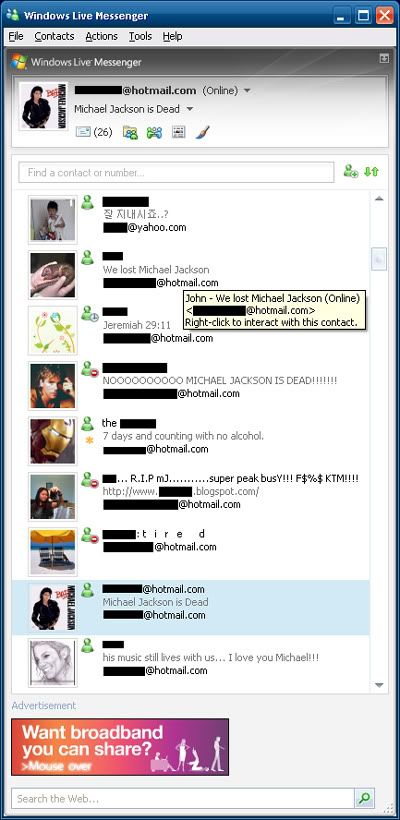
Michael Jackson @ Web 2.0

Michael Jackson

By now most of you would have heard about the demise of Michael Jackson, the King of Pop, and an iconic idol of the 80's. Whether or not you like or loathe MJ is out of the question - some might sigh relief - others will cry in agony. Though it's uncanny he died before his final concert.

What's interesting in how today's world shares news compared to the past. Today we embrace the Web 2.0 in a multitude of forms - from IMs (Instant Messengers) to Social Networking sites, like FaceBook (FB). People don't really call or SMS each other - we post up messages on our IMs and FB. In today's always-connected world via the Internet, the Web 2.0 is the medium of communication. Want to know more about IMs?

Chances are you already use a form of IM, and chances are it's a deritive of MSN (Microsoft Network) Messenger, which today is known as Windows Live Messenger. MSN ended with version 7.5, but a 7.0 version was made for those who did not want to switch to MSN 8.0, which is also known as WLM 8.0.

WLM 8.0 isn't available anymore, as it's been replaced with WLM 8.1, which offers offline messages, a very handy feature. As you can't use MSN 7.5 anymore, you have to switch to WLM 8.1 or MSN 7.0 - you don't have to use WLM 8.5.

WLM 8.5 doesn't really introduce anything substantial, so you can give it a pass, unless you want all the other features that comes with Windows Live Services, such as Windows Live Mail 12 (2008) which replaces Outlook Express. There's also WLM 14 (2009), which is version such to tie in with Windows Live Mail 14 (2009).

Again, you don't need the latest version of an IM unless you're required to do so in order to go online. Newer IMs are more demanding on hardware due to the features included, so unless you have a new computer, it's best to stick to something that works on an older computer.

So how will the future generation of a future King of ..... spread and share news? Via Singularity?

More Data?

Friday, June 19, 2009

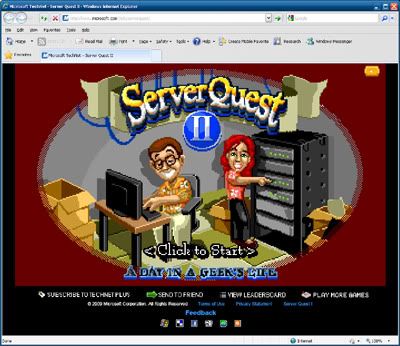
Server Quest

Server Quest

We're not sure if this should be in BrickGamers or BrickTech. It's a Web browser-based game using Microsoft .NET Silverlight plugin, but it's a spin off the classic game King's Quest, where it's called Server Quest - so you can imagine what the game is about! Read on to find out what you need and where you can get it from.

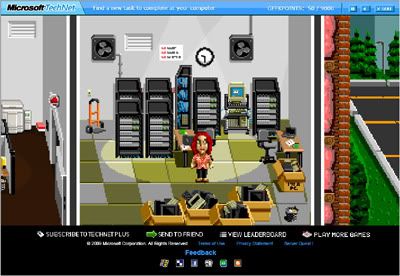
Server Quest room

If you're geekly enough, you might like this game - so give it a spin. All you'll need is your browser to have the Silverlight plugin. You can get version 2.0 here (5MB).

More Data?

Tuesday, June 16, 2009

.NET Silverlight Browser Plugin

Silverlight logo

You might have heard of Silverlight before - it's a Web browser plugin like Adobe (formerly Macromedia) Flash, except unlike Flash, Microsoft Silverlight was designed for the modern Web.

While Flash has been used for a long time, it's slow when it comes to things like touchscreens, which require fast response. If you've tried the touchscreens in 1Utama mall, you'll feel the lag delay. Did you also know Silverlight allows desktop applications to run on the Web?

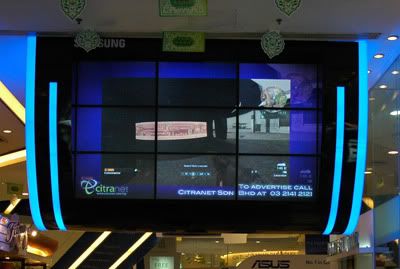
Nexus Digital Signs @ Samsung Low Yat Plaza Multi-Panel Display

Nexus Digital Signs, which powers the technology of some Digital Advertising Signs - like Low Yat Plaza's Multi-Panel Screen, also uses Silverlight - even if it's not a touchscreen (but they do use Silverlight for their other touchscreen projects) . That's just one example. Silverlight has another benefits besides touchscreens.

Unlike Flash, which requires Adobe's own Flash program to create it, Silverlight is based off the .NET Framework as well (especially in version 3.0 found in Microsoft Windows Vista), using a code called XAML (Extensible Application Markup Language - based on XML - Extensible Markup Language). XML can be easily found on many sites - a good example is the Blizzard Entertainment online store (notice the URL).

XAML is used a lot between 2 applications that work together to create Silverlight - Microsoft Visual Studio and Microsoft Expression Blend (an application in the Expression Studio suite of programs). In this way, the Web designer can focus on art while the Web programmer can focus on coding and XAML will work behind the scenes to publish the result via Silverlight to the Web.

In another way, Silverlight brings .NET applications to the Web browser as well. So this means if you have .NET applications, which can run automatically on Microsoft Windows Vista and Windows 7, or optionally on Windows XP with an installed .NET Framework version, you can easily convert it to be used via the Web through a browser, via XAML.

The latest Silverlight is version 2 GDR (2.0.40115.0) and you can get it from here (5MB).

More Data?

Monday, June 15, 2009

Sims 3 and Microsoft .NET Framework

Sims 3 logo

If you've read our latest BrickGamers LEGO® Gaming Comic, you'll notice we poke fun at Sims 3, or rather, the users (or players) of Sims 3 - which could be you! Are you one?

Microsoft .NET Framework logo

Anyway, since this is BrickTech, this is more about what goes on BEHIND Sims 3, in particular, Sims 3 requires Microsoft's .NET Framework (specifically version 2.0), a software framework that needs to be installed on Microsoft Windows XP operating systems but comes as a part of Microsoft Windows Vista (version 3.0) and of course, the RC (Release Candidate) of Microsoft Windows 7. But did you know you don't have to install the latest version of .NET to play Sims 3?

While the latest version of .NET is 3.5 Service Pack 1 (250MB), with .NET 4 Beta 1 in the works, Sims 3 was designed with .NET 2.0. This means if you're running Sims 3 on Vista or Win7 RC (yes it works!), the installer (or you) won't have to install any .NET versions, but if you're using XP, the installer will put in .NET 2.0, unless you've already installed .NET 3.0 or 3.5.

However, .NET will slow down your XP since it's adding a whole new software framework to an OS. Even version 1.0 and 1.1 of .NET needs to be installed on XP - it doesn't come with it. So the wise thing to do is to upgrade or run Vista (or even Win7 RC) instead, as it comes with .NET already. Of course you don't have to do this if you're not playing Sims 3 (or any other game or software which requires .NET). However, if you are, you're better off running the speedier Win7 RC or the slow Vista, rather than the slower XP with .NET.


More Data?

Friday, June 12, 2009

Windows 7 Anti-Virus

Windows 7 Anti-Virus

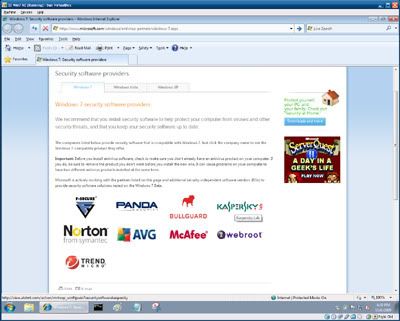
If you're using (or testing) Windows 7 RC, you should also have an Anti-Virus present, and just like with Win7 Beta earlier, where you had a choice of 3 AV, Win7 RC also comes with a choice of AV to use - even more now actually - 7. Coincidence? Not actually! Lately 2 more were added to be 9. You can see them here. So perhaps more might be added in the future. Read on to see the free duration of each offering.


The List:
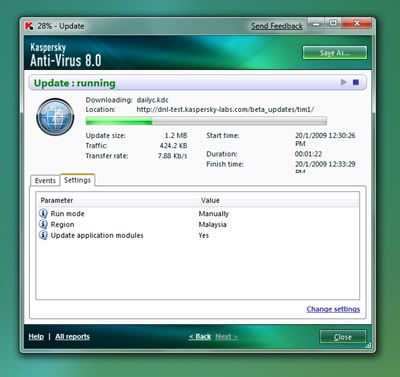
Just like before with Win7 Beta, only ONE AV offers the longest free duration of usage on Win7 RC - Kaspersky. They continue to offer half a year (6 months) of free usage for their Win7 AV 8 Beta.

Windows 7 Kaspersky

No this post wasn't paid for by Kaspersky. You do the research yourself and see who offers the best deal for testing or using Win7 RC. As gamers will say, do we hear a "Mother Russia"?

More Data?

Tuesday, June 9, 2009

Vista Service Pack 2

If you're using Windows Vista, Service Pack 2 is out recently. If you've never installed Service Pack 1 on your Vista before, you can skip SP1 and go to SP2 directly. SP2 corrects any bugs and problems that have come out since SP1. To download Vista SP2 (350MB), you can get it directly from Microsoft's site via this link. Alternatively, you can get it from Microsoft's page here. But did you know there's 2 versions of SP2?

That's for the x86 (32-bit) version. If you're using the x64 (64-bit) version, you can get it here (570MB). The direct link is here. To know if you're using the 32 or 64 version, just right-click your Computer icon on your Vista Desktop and select Properties. Chances are if you have less than 4GB of memory, you'll be using the 32 version. 64 only works well once you got more than 4GB of memory as 32 can only use up to 4GB of memory.

More Data?

Monday, June 8, 2009

Windows 6.1 Version

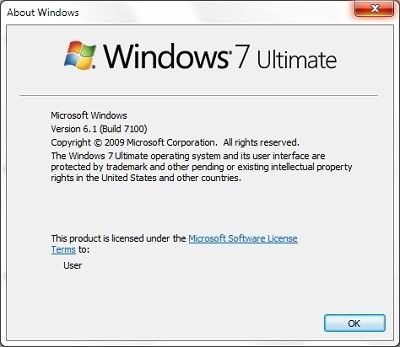
Don't believe Windows 7 is Windows 6.1? Here's the proof you can find out yourself:

Windows 7 version

You can get this Windows version box via 2 ways - by clicking Help on the menu of any Windows Explorer window (like an opened Folder) and selecting About Windows, or clicking the Run command on the Start Menu - or its shortcut of Windows Key and R together on your keyboard, to open the Run box. But why did Microsoft have 2 versions for this Windows?

First, let's continue. Type "winver" (without the quotation marks) and hit the Enter key or click the OK button in the Run box you've opened. This method works in all Windows.

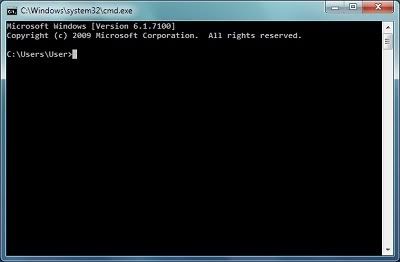
You can also use the Command Prompt. You can find it on the Start Menu under Accessories, or use the Run box and type "cmd".

Windows 7 Command Prompt

So why would Windows 6.1 be called Windows 7? Well, would you prefer Windows XP to be called Windows 5.1? Because that's what it is! Let's face it, Windows Vista sounds so much more better than Windows 6.0 (because it is), so unless you can think of a better name for Windows 7, you have to admit, Windows 7 does sound like a nice name doesn't it? Besides, with all its touch support and new Superbar Taskbar, not to mention Libraries content Shortcut, it doesn't really warrant just a .1 upgrade, don't you think so?

We'll highlight more Win7 features later that you might not know about, for those of you who might think Win7 is just an enhanced Vista. In many ways, Win7 is to Vista what Win98 was to Win95 - back then Win98 really did prove itself better. This isn't a Win98 to WinME yet again.

More Data?

Thursday, May 21, 2009

It's About Time...


So says the Terran Marine in Blizzard's StarCraft 2 Trailer.

Star Craft 2 Trailer

As the minifigs (LEGO® miniature figures) in the comic below illustrate, BrickTech was supposed to be up but never got around due to...technical reasons...true to its nature of being...BrickTech :) So what are we going to do about it? Read on to see our Vision.

We're going to kick off BrickTech via another way - helping users of technology. Specifically, computers. Narrowing it further, Microsoft. Why? Because we can.

Well, okay, that's a real lousy excuse. Because technology is a very vast topic and amongst all technologies (the human electronic kinds, not alien!), computers are the most problematic - though the irony is that they were designed to solve our problems!

Lastly, why Microsoft? Because it's the most widely-used software on the planet, ergo, the most amount of users encounter it, and when you put both together you get...the need to know more about Microsoft software.

Mind you we're not talking about just knowing new Microsoft software here - we're talking about how to solve the problems you encounter with Microsoft software, or how to use such software.

Now while many will have jokes about how Microsoft is the source of all problems - the fact is even Mac and Linux and others have problems - the issue is that they're not the majority used in the world and hence, you hear less about them.

True, to a certain extent Linux and Macs are better in certain and many ways, but like how there's different beers for different markets, there's no one-all solution for everything and for where it does matter, Microsoft does have its benefits.

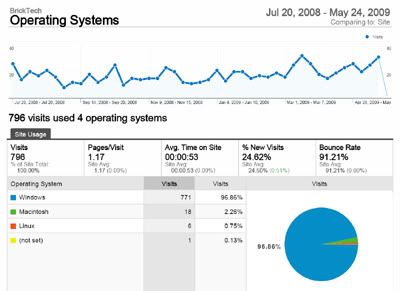
Think about it - you're probably reading this on Windows. Yes you might be a Mac or Linux user, but Google Analytics will reveal that the majority of visitors to BrickTech use Windows :P

Google Analysis BrickTech Operating Systems

Anyway, BrickTech won't only be just about Microsoft, so take it easy - it's BrickTech, not BrickMicrosoft ;) If there's something worthy about Google or Linux or Mac or Mobiles or Intel or NVIDIA or AMD or ATI or Wireless or Bluetooth or...well, you get the idea.

We'll talk about it.

Windows 7

Windows 7 Release Candidate Logon Screen
This is the Windows 7 RC Logon Screen wallpaper (or what Microsoft now calls as Desktop Background). You can get it from here.

Let's start by what's hot in Cyberspace right now - Windows 7, or Windows 6.1 if you want to be technical about it. Win7 is the replacement for Windows Vista (or Windows 6.0 if you want to be specific again).

Both are meant to replace Windows XP (Windows 5.1, Windows 2000 was Windows 5), but it seemed that Vista did a poor job of it and Microsoft have obviously finally admitted that going by how Win7 does a much better job than Vista. In fact, Win7 is the "Vista that should have been".

In summation, Win7 has all the bells and whistle and eye candy of Vista - and then some more - but coupled with the speed of XP, which was what people wanted in the first place anyway!

Sun Virtual Box 2

So if you're using XP, never wanted to go Vista, and wondering if you should with 7, then you'll be glad to know with the help of Sun's VirtualBox 2, you can sample 7 without the hassle. For your information, Microsoft released Beta of 7 early in the year and they just recently released RC (Release Candidate) 7, with 7 slated for release before the end of the year, around October.

While Beta could only be used till about now, RC can be used till June 2010 - that's a whole year of free usage! Of course you'll have to activate the installed copy online to enable that, otherwise you can only use it for a month, but the Key required can easily be obtained from Microsoft's 7 download site.

Sun Virtual Box 2 Windows 7

So coming up next - how to sample Win7 RC on VirtualBox right on your current XP Desktop :)

Sun Virtual Box 2 Windows 7 Settings

And yes, we'll try to include Jack and the rest of the BrickWorld figs in comics to keep true to the name of BrickTech! We aim for weekly updates (if we didn't get carried away playing LEGO® and tech doesn't get in the way!) - and as usual - updates without warning in between!

More Data?