Showing posts with label 3D. Show all posts

Saturday, September 26, 2009

AMD ATI Radeon HD5000 Series Windows 7 Direct X 11 graphic cards


If you don't already know by now, the next standard in gaming graphics is DirectX 11. This is found in Microsoft's upcoming Windows operating system, Windows 6.1, or more popularly known as Windows 7 (not because 6+1=7 or because Windows Vista was Windows 6.0, but because Microsoft says this is the seventh release of Windows).

DX11 adds some new features and one of them is Direct Compute, using the new Compute Shader element, which adds to the previous Geometry Shader which was introduced in DirectX 10 (Unified Shader Model 4) on Vista, and the Pixel and Vertex Shaders, which were introduced in DirectX 9 (Shader Model 3) prior to that in Windows XP.

Direct Compute is an implementation of GPGPU technology. Basically it uses your graphic card for processing instead of just your processor, thereby giving you extra performance. This can also be used for 3D Ray-Tracing and Video Transcoding. But did you know DX11 can work with DX10?


Unlike DX10 which required either AMD's ATI Radeon HD2000/3000/4000 series, or NVIDIA GeForce 8/9/200 series of DX10 gaming cards, DX11 can function on DX10 gaming cards as well, albeit not as fully as on DX11 gaming cards, which is the ATI Radeon HD5000 series, or NVIDIA GeForce 300 series (which isn't out yet).

As expected, this means DX11 can also work on Vista, and it can, when Microsoft releases the Vista Platform Update, but like the above DX11 and DX10 compatibility, you won't get the full features as compared to a pure DX11 platform, which is Windows 7 with DX11 gaming card, and in this case, only ATI's HD5000 is out. With this, coupled with Windows 7, you'll get the full DX11 deal. See here for a list of upcoming DX11 games.

Of course, with DX11 you can also play DX10 games, and you can see a list of DX10 games here - but remember to update your DX files! If you haven't done so, you can get it for free from Microsoft's site here (100MB). Even if you're using Windows XP with DirectX 9, it will update your files to the latest DX9. This might help if you're having problems running some games.

More Data?

Thursday, July 30, 2009

Coming Soon - Leadtek Quadro FX 1800 Review

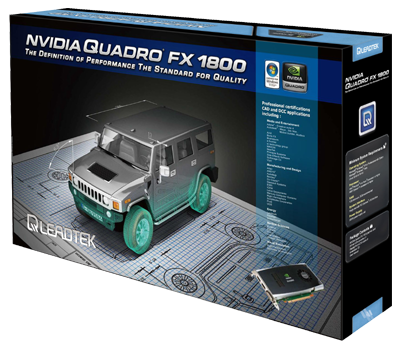
LeadTek Quadro FX 1800 box

If you're a a workstation user, you might be familiar with the professional video cards from NVIDIA called the Quadro. Unlike the GeForce graphic cards, which are designed for gaming and multimedia, the Quadro cards are designed with 3D and digital animation in mind - though they can also handle 3D games as well - but not so good since they're not designed for it!

But why? Want to know more about the differences? Read on to find out.

NVIDIA GeForce and Quadro logos

By the way, both GeForce and Quadro can also be used for programming via NVIDIA's CUDA technology, which makes use of GPGPU, a concept where the graphic card's GPU is used as a processor - just like the processor on the mainboard. The difference in that the program must be specially designed to take advantage of this. That's where technology like CUDA comes in so programs written for CUDA can do this.

NVIDIA CUDA technology logo

CUDA allows you to use GeForce and Quadro card for more than what they're designed for - like video conversion (transcoding), image editing, and even artificial intelligence (AI)!

More on CUDA later - let's focus on the Quadro first, since most people know about GeForce already. Then we'll get on to how CUDA can be used on both cards.

The Quadro is much more expensive than the GeForce because they perform better for 3D work, especially in response times working with a 3D object, thanks to their data transfer bandwidth, optimised drivers, as well as the firmware on the Quadro, which controls things like sacrificing speed for quality. In games, speed is more important, hence why in GeForce cards this will be reversed. In Quadro cards, quality is much more important.

Worth mentioning is that the Quadro runs at 5GBps for its data transfer, taking advantage of the 5GBps PCI Express 2.0 slot (where a graphic card sits on a mainboard). The highest-end single-GPU GeForce, the 285, runs at 4.6GBps. For reference, the older PCI Express 1.0 slot interface supports up to 2.5GBps only.

3D software
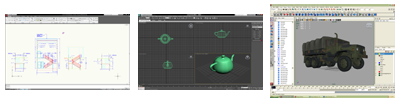
Autodesk's 3D software - AutoCAD (left), 3D Studio Max (centre), Maya (right)

ALso, some Quadro cards are specially designed for certain 3D software like Autodesk's classic AutoCAD, or their acquired 3ds (3D Studio Max) and Maya software. While GeForce just needs to be fast for modern 3D games, Quadro needs to be accurate, and this is where it excels in, and that explains the higher cost of the hardware.

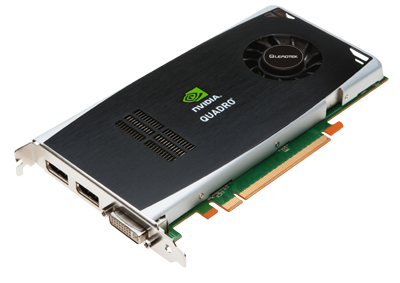
Leadtek Quadro FX 1800 card

To take a better look at Quadro, we'll be testing one from Leadtek, the FX 1800, which replaces the previous FX 1700, both coming from the middle-range line. Stay tuned for it!

More Data?