Showing posts with label GPGPU. Show all posts

Saturday, September 26, 2009

AMD ATI Radeon HD5000 Series Windows 7 Direct X 11 graphic cards


If you don't already know by now, the next standard in gaming graphics is DirectX 11. This is found in Microsoft's upcoming Windows operating system, Windows 6.1, or more popularly known as Windows 7 (not because 6+1=7 or because Windows Vista was Windows 6.0, but because Microsoft says this is the seventh release of Windows).

DX11 adds some new features and one of them is Direct Compute, using the new Compute Shader element, which adds to the previous Geometry Shader which was introduced in DirectX 10 (Unified Shader Model 4) on Vista, and the Pixel and Vertex Shaders, which were introduced in DirectX 9 (Shader Model 3) prior to that in Windows XP.

Direct Compute is an implementation of GPGPU technology. Basically it uses your graphic card for processing instead of just your processor, thereby giving you extra performance. This can also be used for 3D Ray-Tracing and Video Transcoding. But did you know DX11 can work with DX10?



Unlike DX10 which required either AMD's ATI Radeon HD2000/3000/4000 series, or NVIDIA GeForce 8/9/200 series of DX10 gaming cards, DX11 can function on DX10 gaming cards as well, albeit not as fully as on DX11 gaming cards, which is the ATI Radeon HD5000 series, or NVIDIA GeForce 300 series (which isn't out yet).

As expected, this means DX11 can also work on Vista, and it can, when Microsoft releases the Vista Platform Update, but like the above DX11 and DX10 compatibility, you won't get the full features as compared to a pure DX11 platform, which is Windows 7 with DX11 gaming card, and in this case, only ATI's HD5000 is out. With this, coupled with Windows 7, you'll get the full DX11 deal. See here for a list of upcoming DX11 games.

Of course, with DX11 you can also play DX10 games, and you can see a list of DX10 games here - but remember to update your DX files! If you haven't done so, you can get it for free from Microsoft's site here (100MB). Even if you're using Windows XP with DirectX 9, it will update your files to the latest DX9. This might help if you're having problems running some games.

More Data?

Friday, July 31, 2009

NVIDIA CUDA

NVIDIA CUDA GPGPU technology logo

What is NVIDIA CUDA? If you've read our previous post here, you'll get a brief understanding of CUDA, which is basically NVIDIA's implementation of GPGPU technology by supporting programs (and games) designed to take advantage of CUDA. GPGPU is explained below.

CUDA is found on GeForce 8 series of 3D gaming and multimedia graphics card and above - as well as Quadro FX professional workstation video cards. This is possible because since GeForce 8, as well as the new Quadro, the design of the graphics processor (the GPU) on the card has changed. In fact, it's more like a CPU (the processor on the mainboard) now. Hence what you have is a GPU that functions like a CPU, and is known as GPGPU. But how did this come about and why? Read on.

In the past, GPUs work in seperate processing methods - one part of the GPU will do the processing of the 3D structure, while the other part will then process the image on the structure - think of it like how when you construct a building you first have to build the framework before you can install the windows and floors.

That worked fine for awhile, until 3D games began to get more demanding and this was a poor allocation of GPU resources - what happens if you had more structures to show but less textures and surfaces? Or the other way around? Hence the birth of the new GPU known as Unified Shader Architecture, which combines the mini processes inside the GPU into a single block which can process anything given to it dynamically. So what you have now is one large processor.

So since you have a CPU in a GPU, now you can also use it for processing programs asides from just processing 3D graphics in games (or processing 3D scenes for Quadro cards). In comes CUDA which allows this since the GPU is still not a full CPU so you need an interface medium.

What can CUDA do? Basically anything that a CPU can do - except programs have to be made to take advantage of CUDA for this to happen, so that will take time. Some of the early programs include video conversion tools.

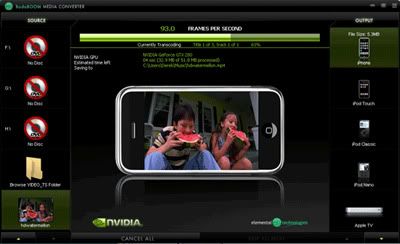
BadaBoom CUDA media converter
BadaBoom Media Converter using NVIDIA CUDA GPGPU technology

This converting (transcoding) process takes up time and if you were to run it on your CPU, not only will you won't be able to do other tasks on your computer because your CPU is busy with the process, it will also be slower since CUDA is a newer technology which can be done from scratch to be optimised faster. One such CUDA transcoder is BadaBoom.

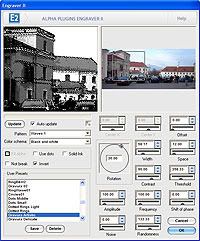
Photoshop plugin
An image filter plugin in Adobe Photoshop

Then there's also the ability to use CUDA for image processing, like running plugin filters in Adobe's Photoshop. Again, this takes time on the CPU so for large images, it will be faster on CUDA. You can also use CUDA for games. That's where Microsoft's Windows DirectX 11's Compute Shader comes in, found in Windows 7. But we'll leave that for another post.

More Data?